
Quick Translate
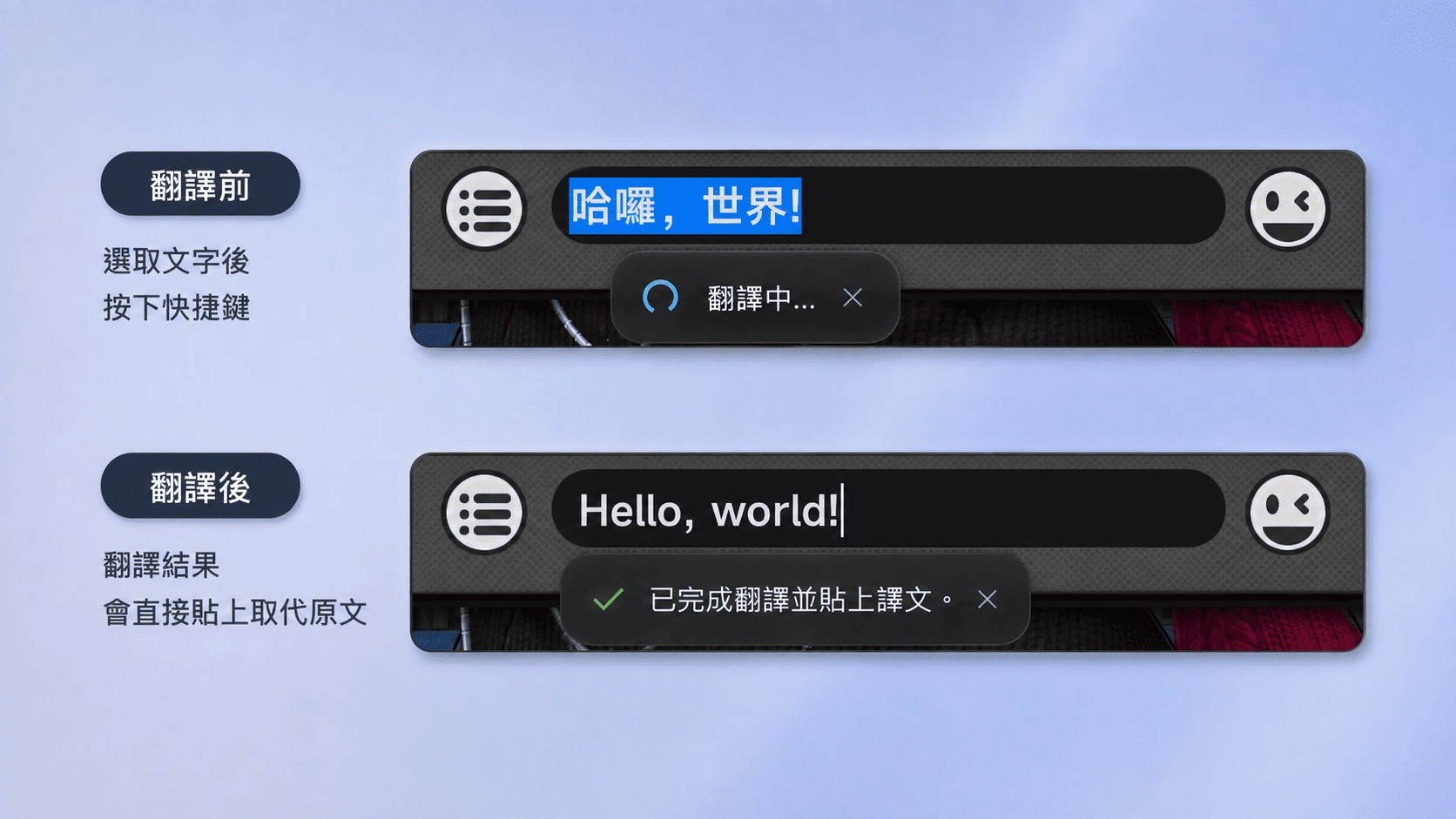
Select some text and press the hotkey: the translation is pasted straight over it with no window opening at all, in any field that accepts typed text.
Windows 10 / 11 Free and open source
A Windows screen translator for comics, video and games, with screenshot translation, real-time translation and more.
Features
OverTranslate offers five translation features, all of them a hotkey away.
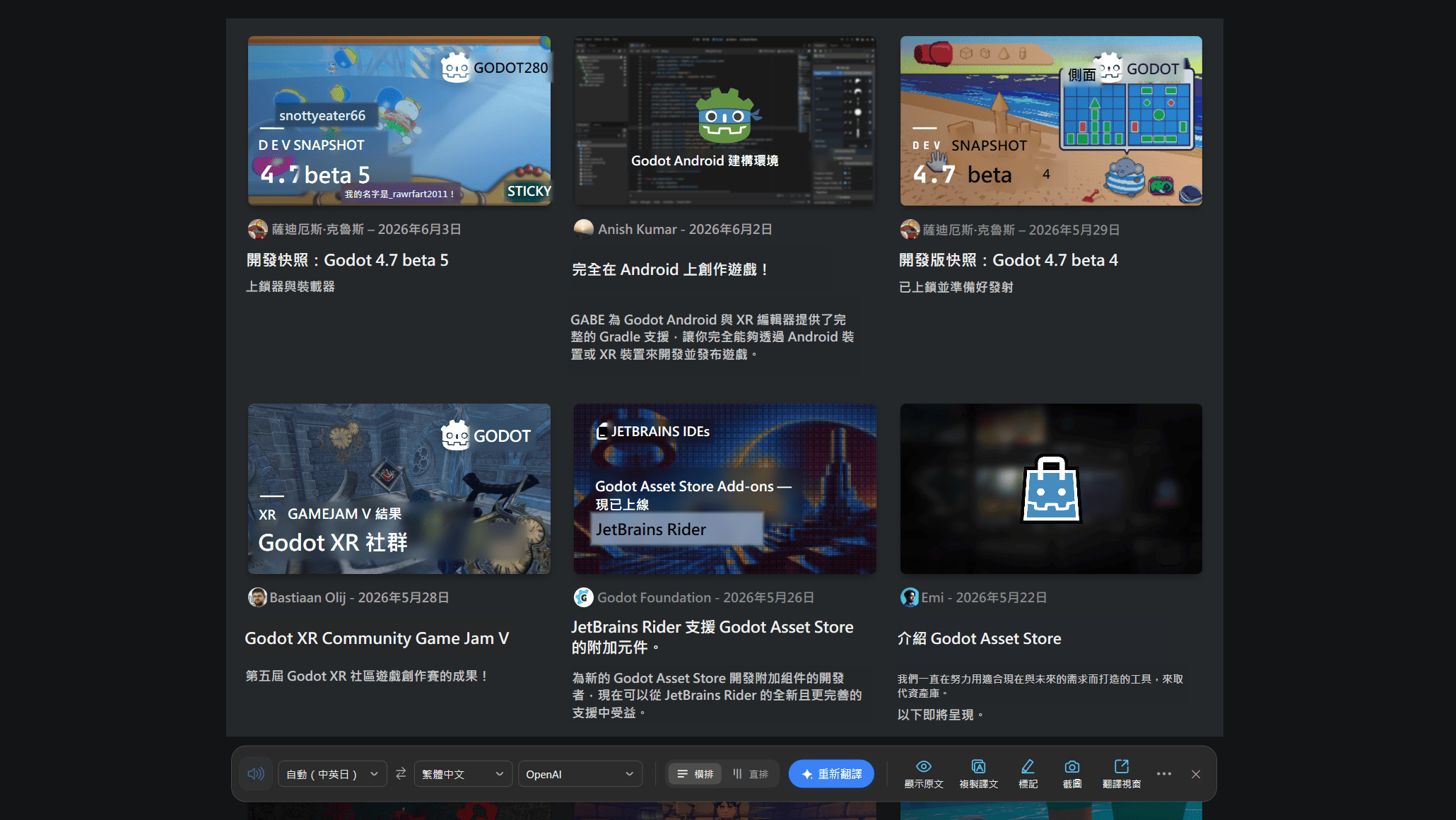
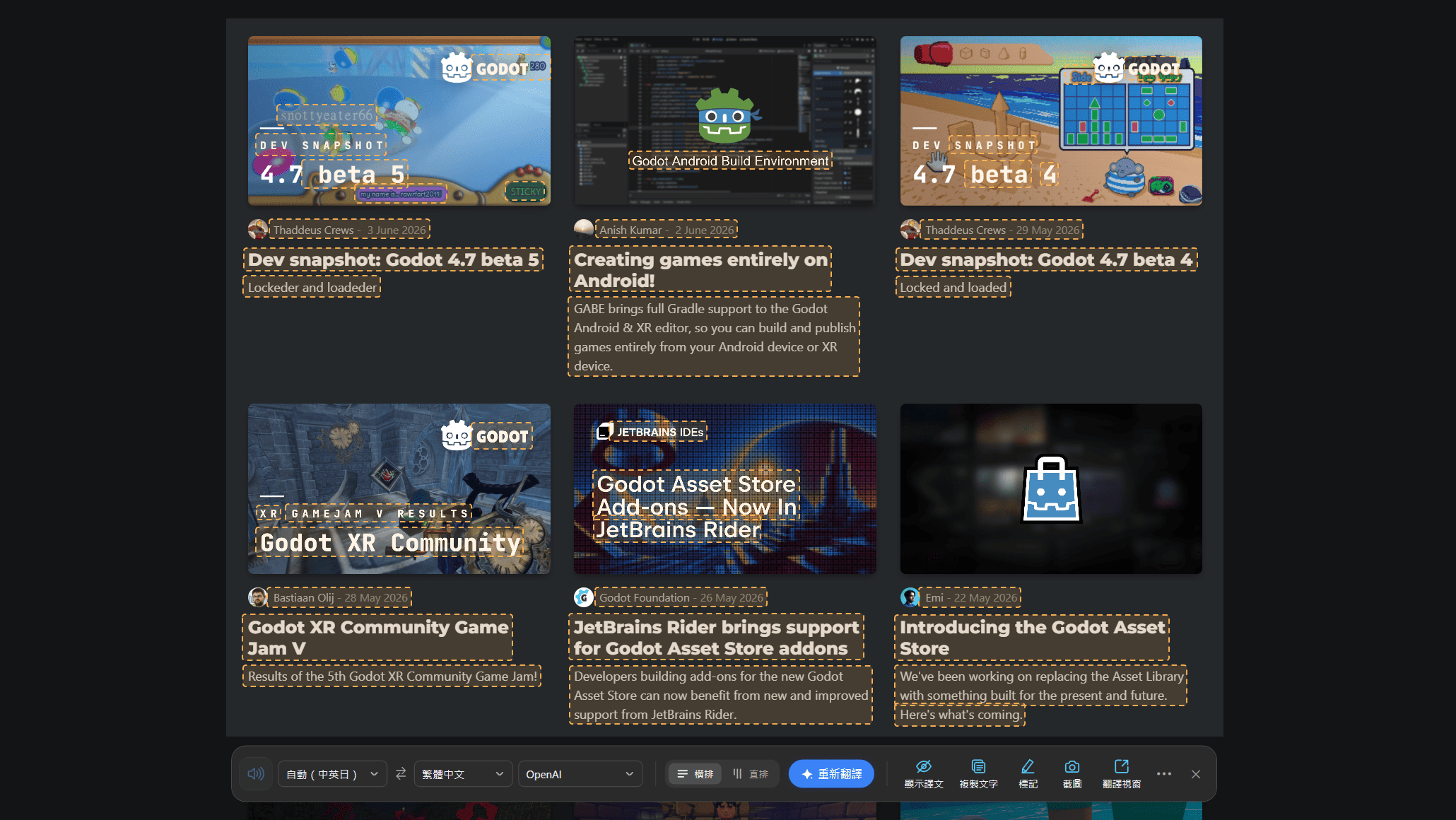
Select an area of the screen; the text is recognised and the translation is shown right on it.
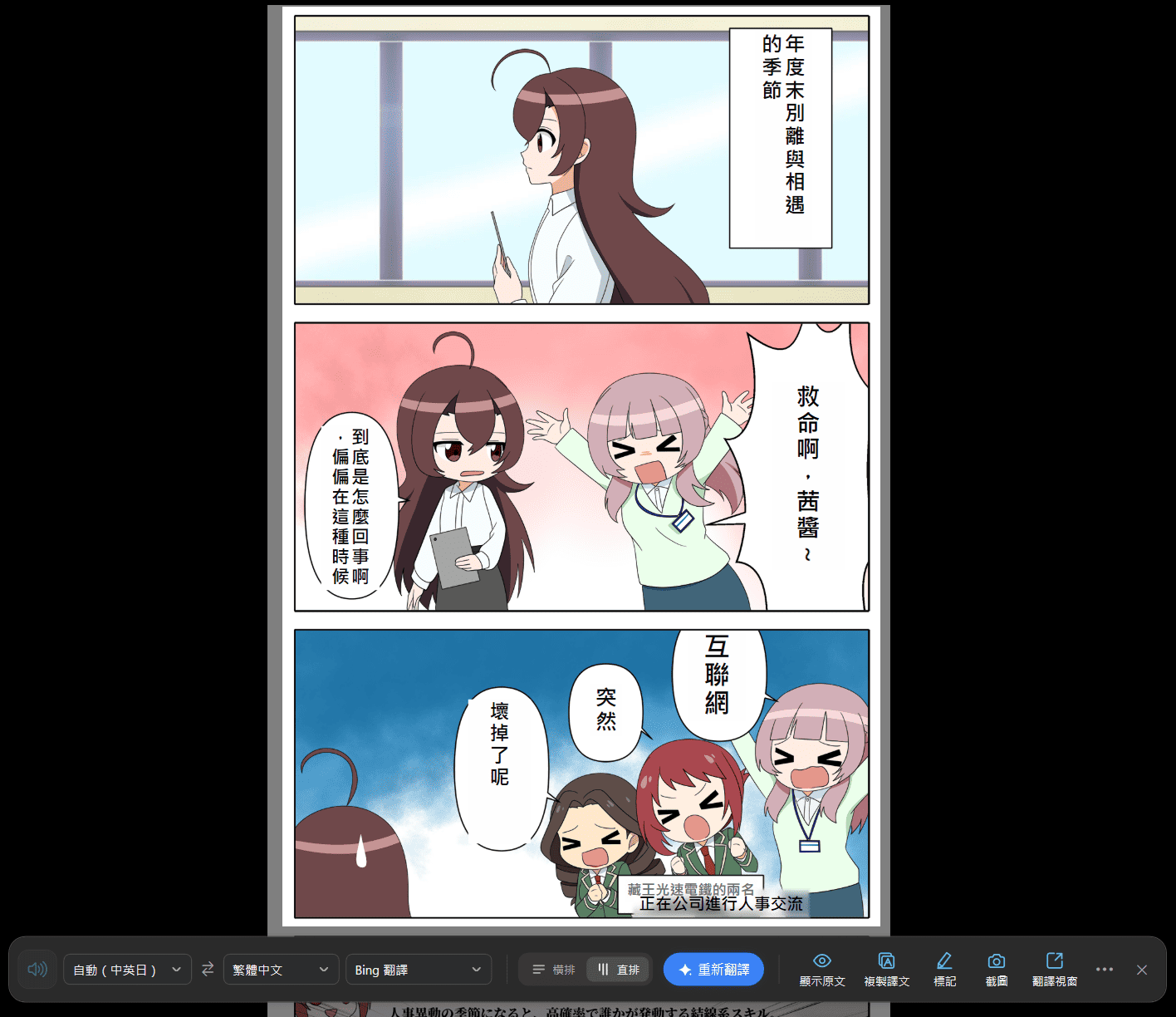
Select an area of a video, a game or a comic; the text is recognised continuously and shown right on it.
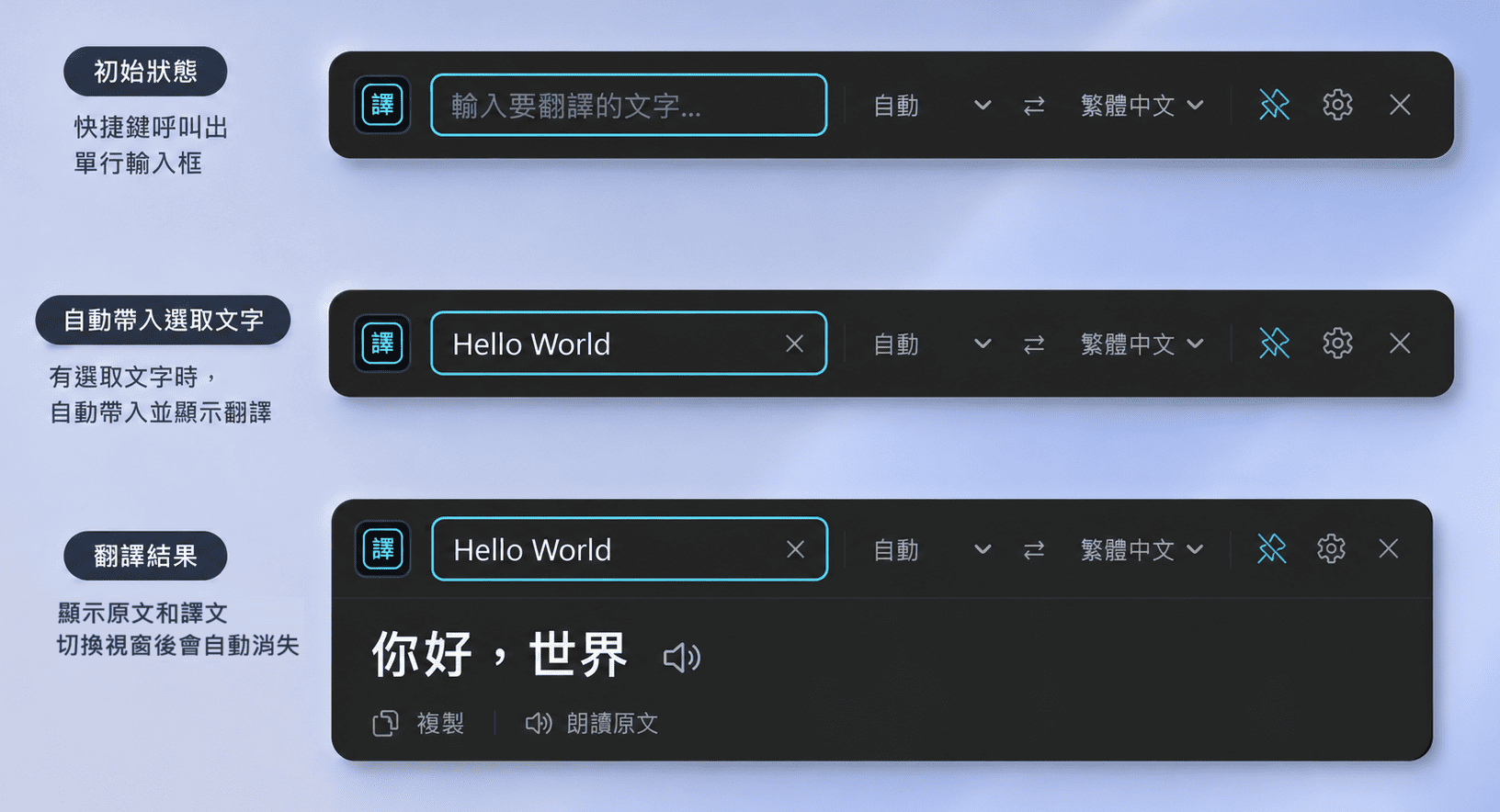
Select some text and a compact translation popup opens; it can be pinned to stay on screen.
Select some text and press the hotkey to translate it and replace it in place.
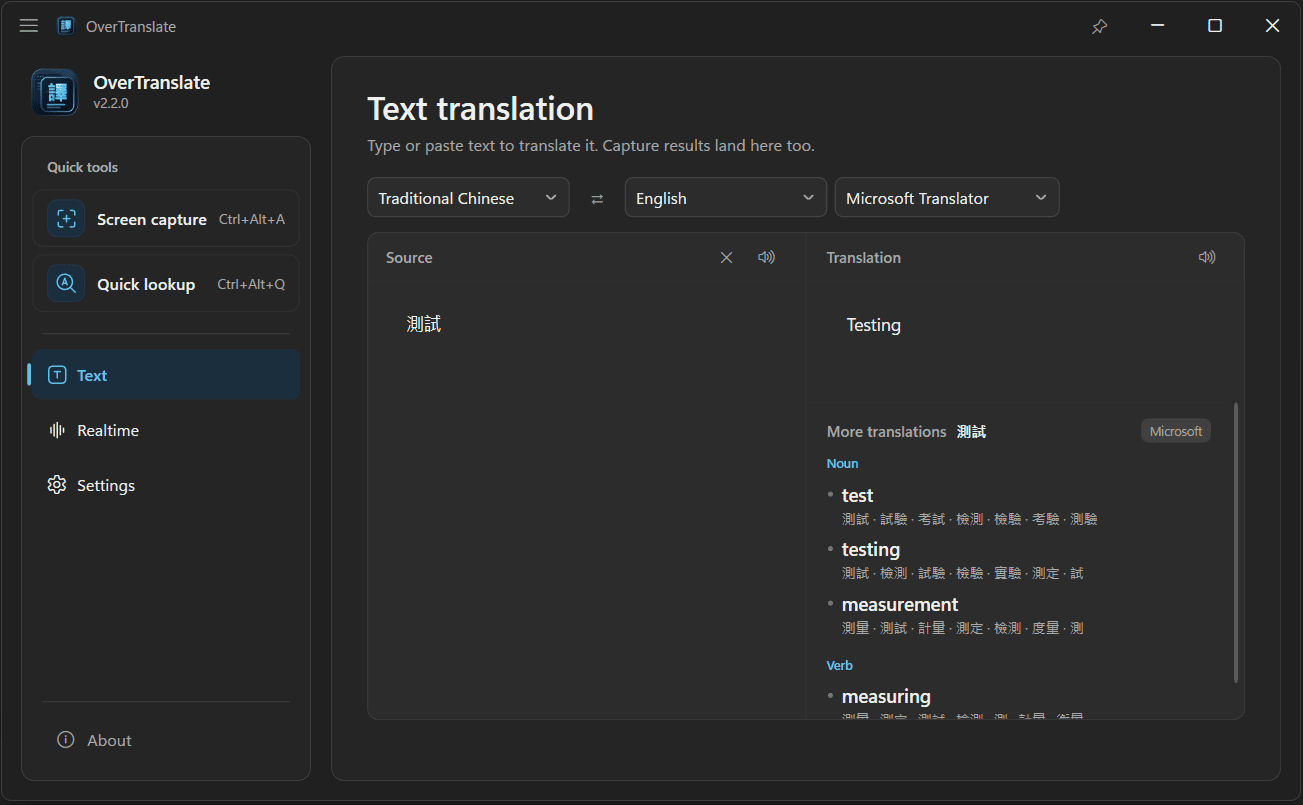
The full translation window, with text input, swapping languages and reading aloud.
The app screenshots on this site all show the Traditional Chinese interface. In the app itself you can switch between 繁體中文, 简体中文, English, 日本語 and 한국어.
Screenshot Translation
Press the hotkey, select the area you want translated, and the text on screen is read with OCR and translated. Works on web pages, PDFs, images, manga, video and games, and recognises Traditional Chinese, Simplified Chinese, English, Japanese and Korean automatically.
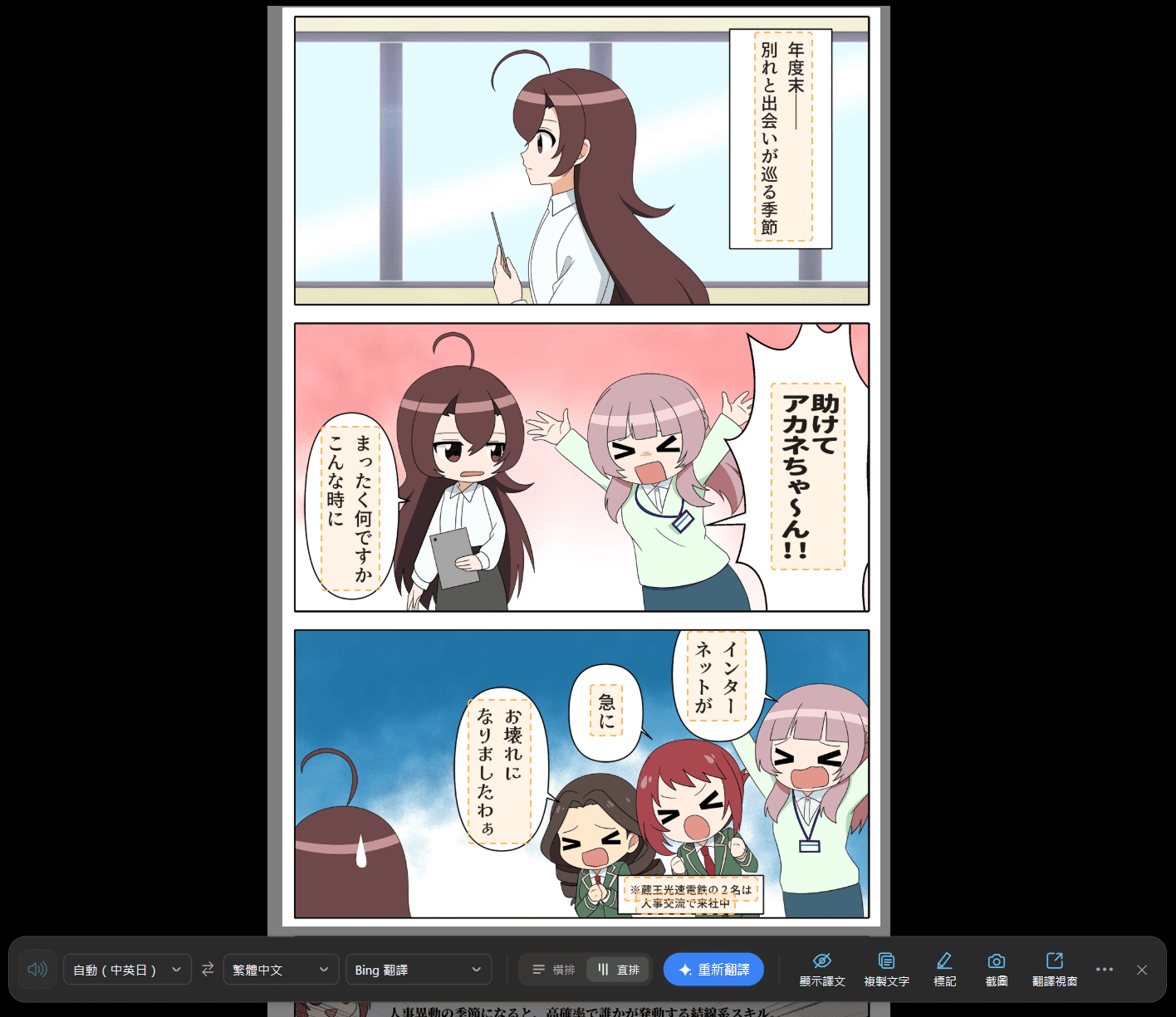
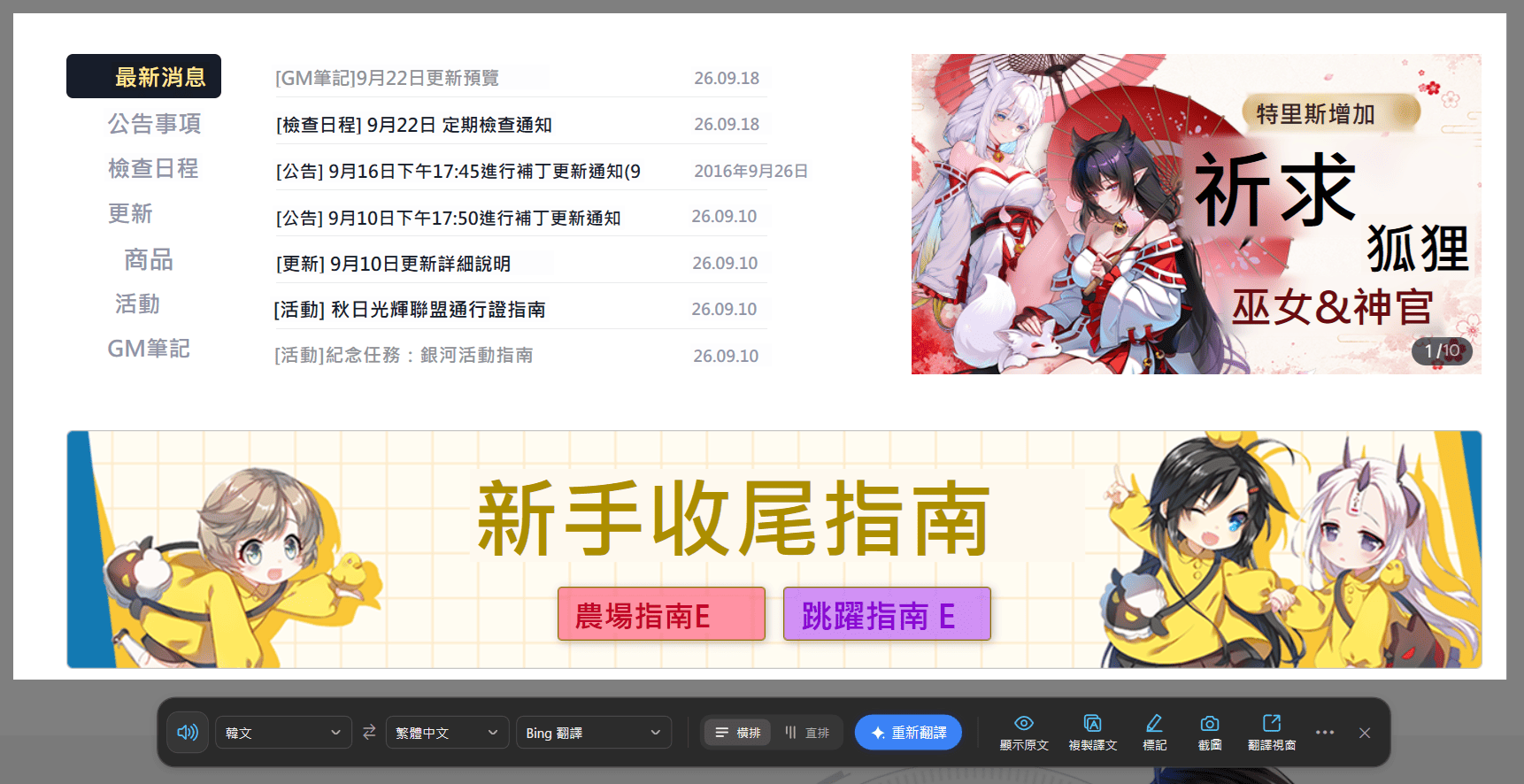

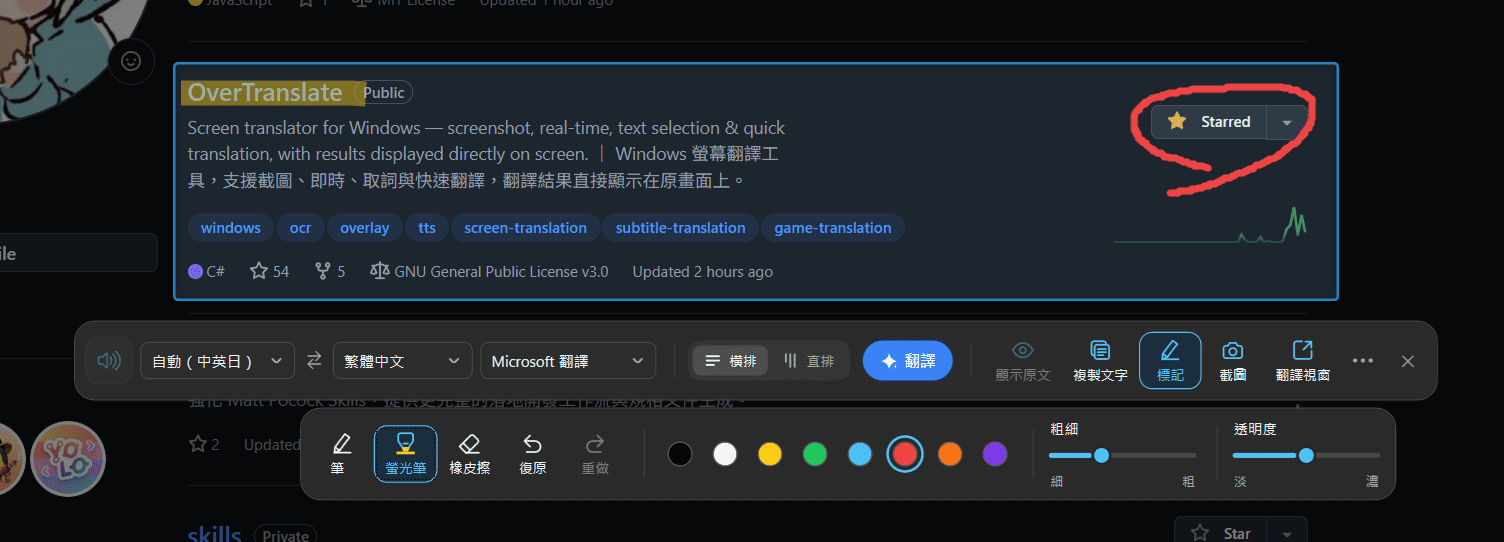
Real-time Translation
Select the area to translate and the text on screen is recognised continuously, with the translation updating on its own. Made for video subtitles, game screens and reading manga, with the translation shown as an overlay right where the original was.
Capture the whole screen, or just one window.
Pausing shows the original text without shutting it down.
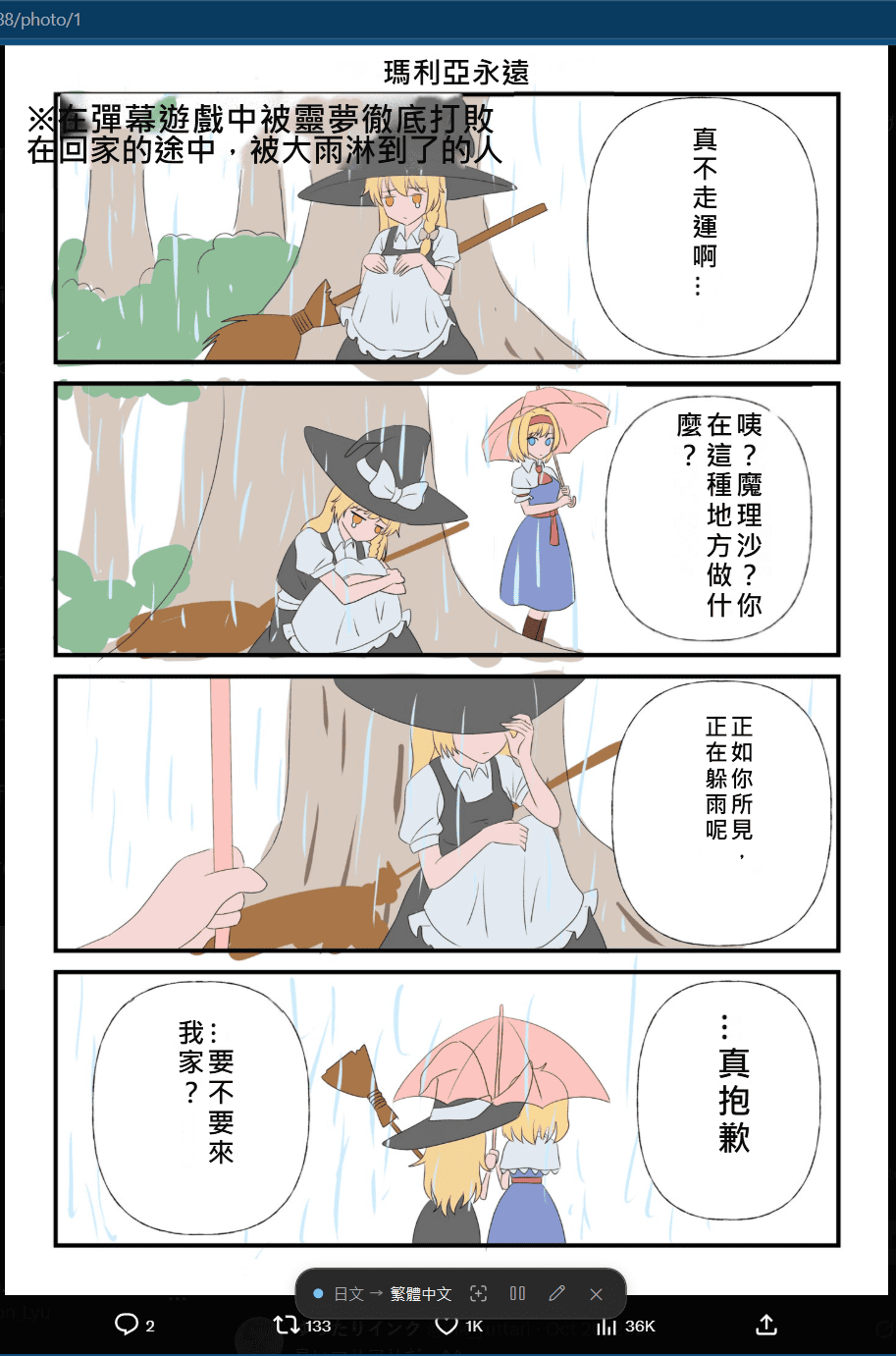
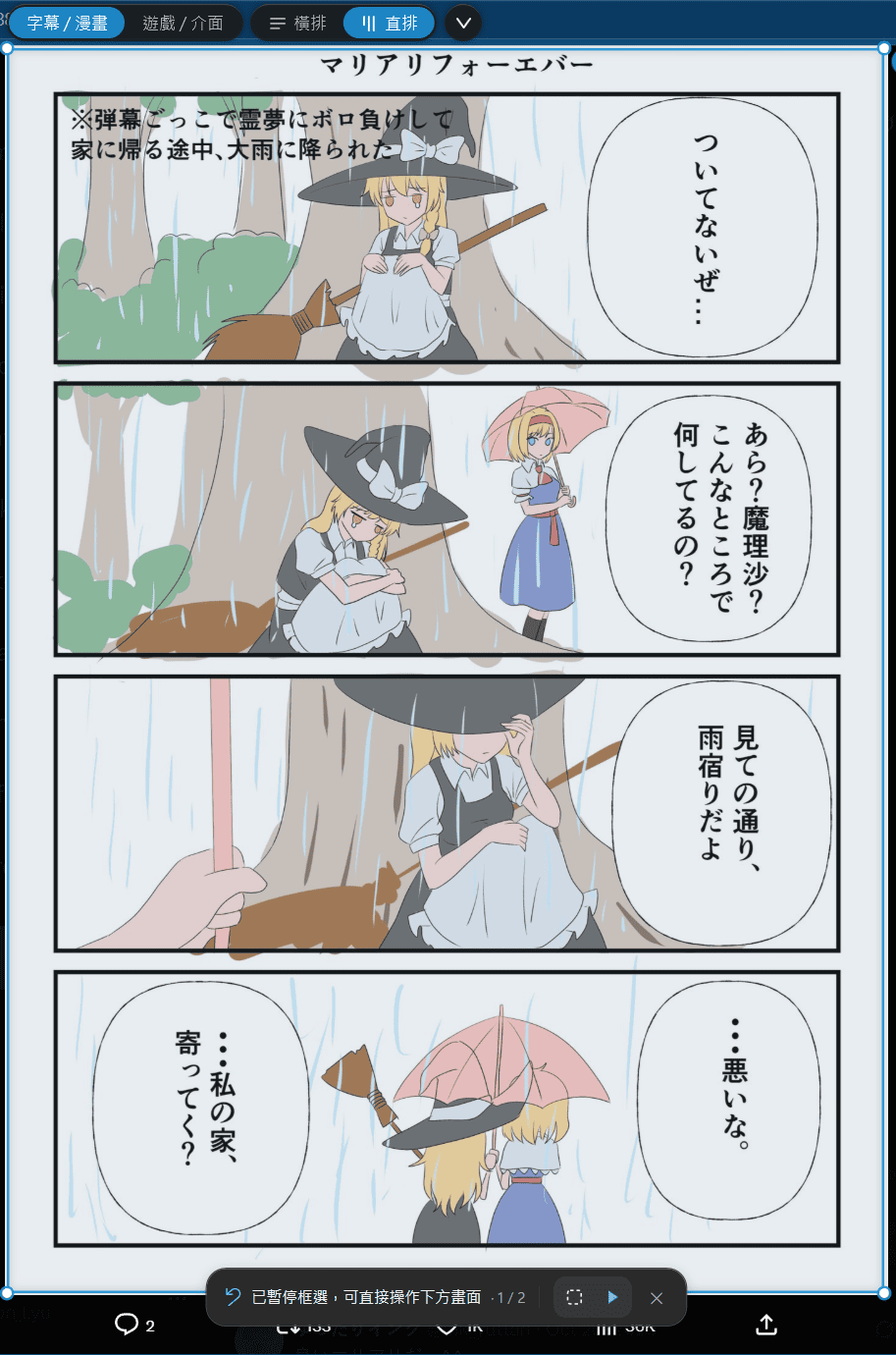
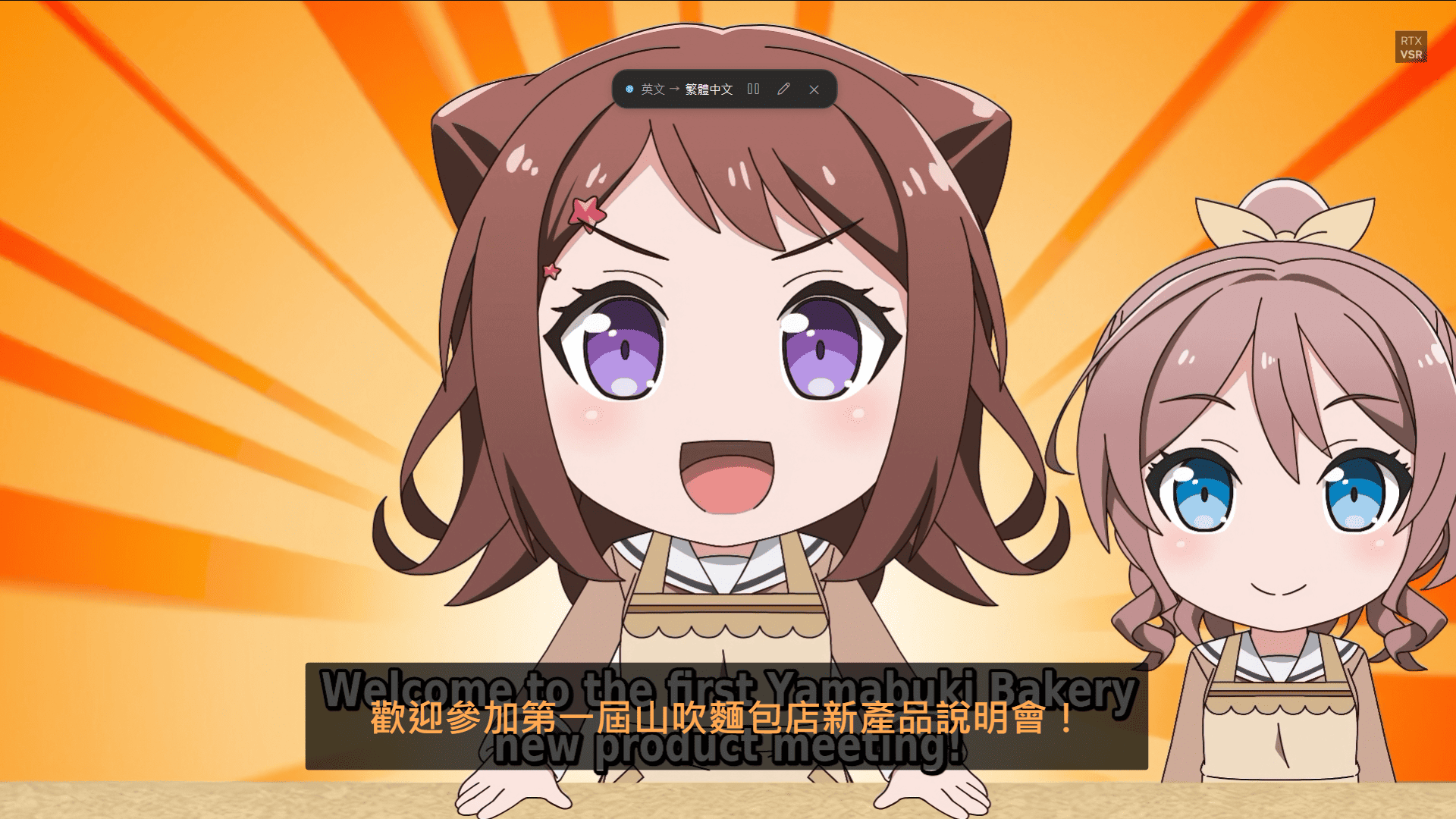
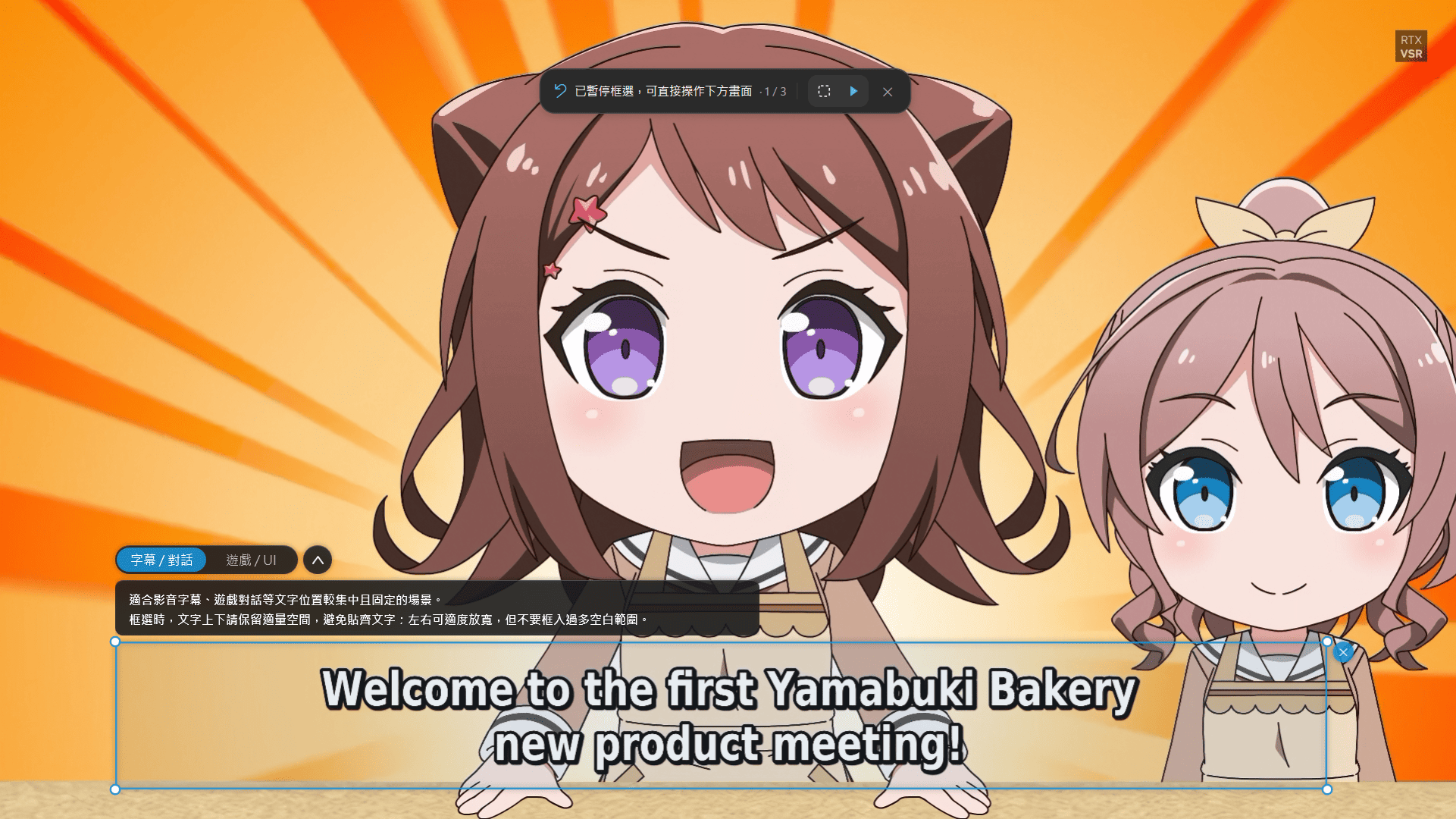
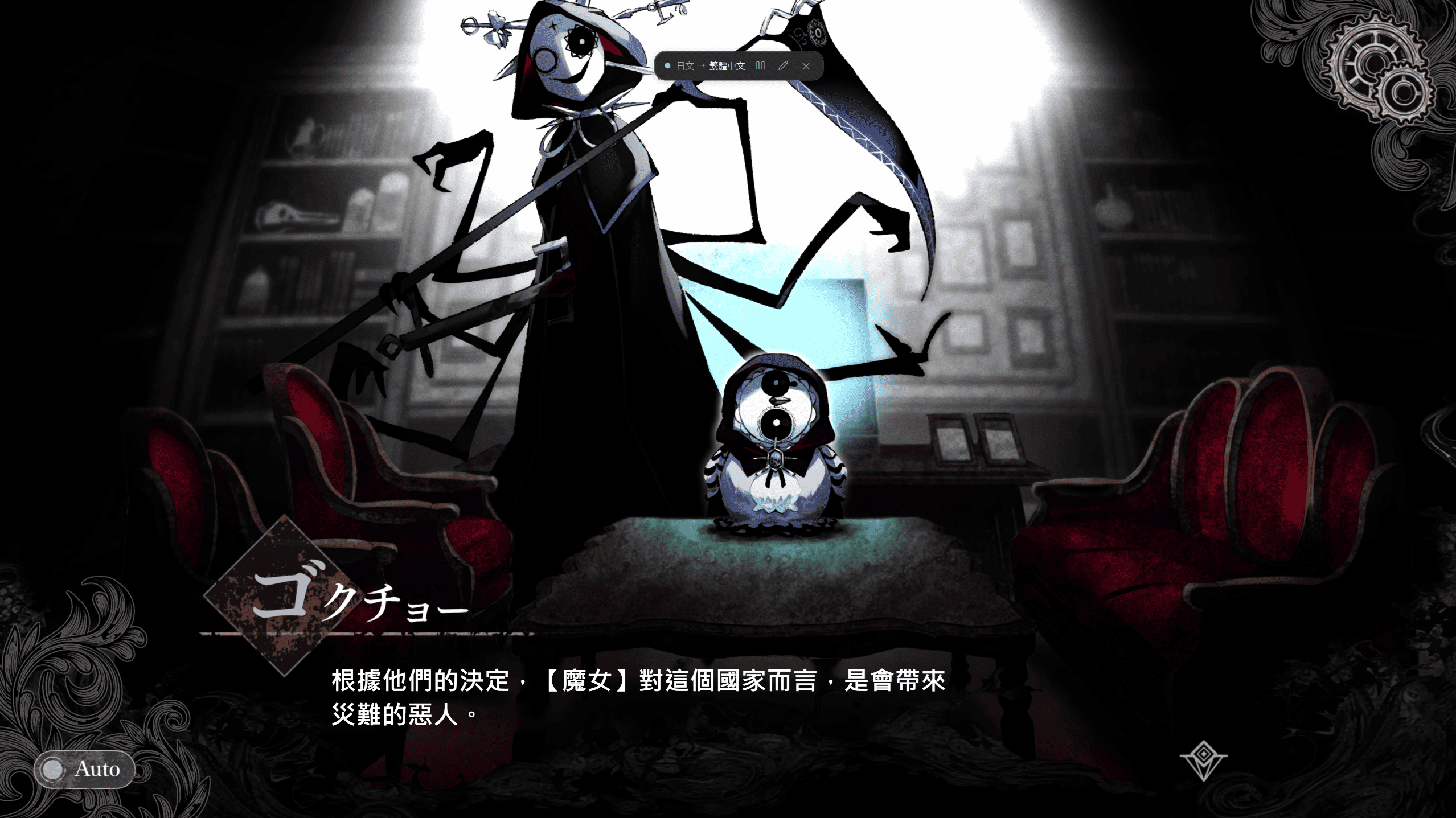
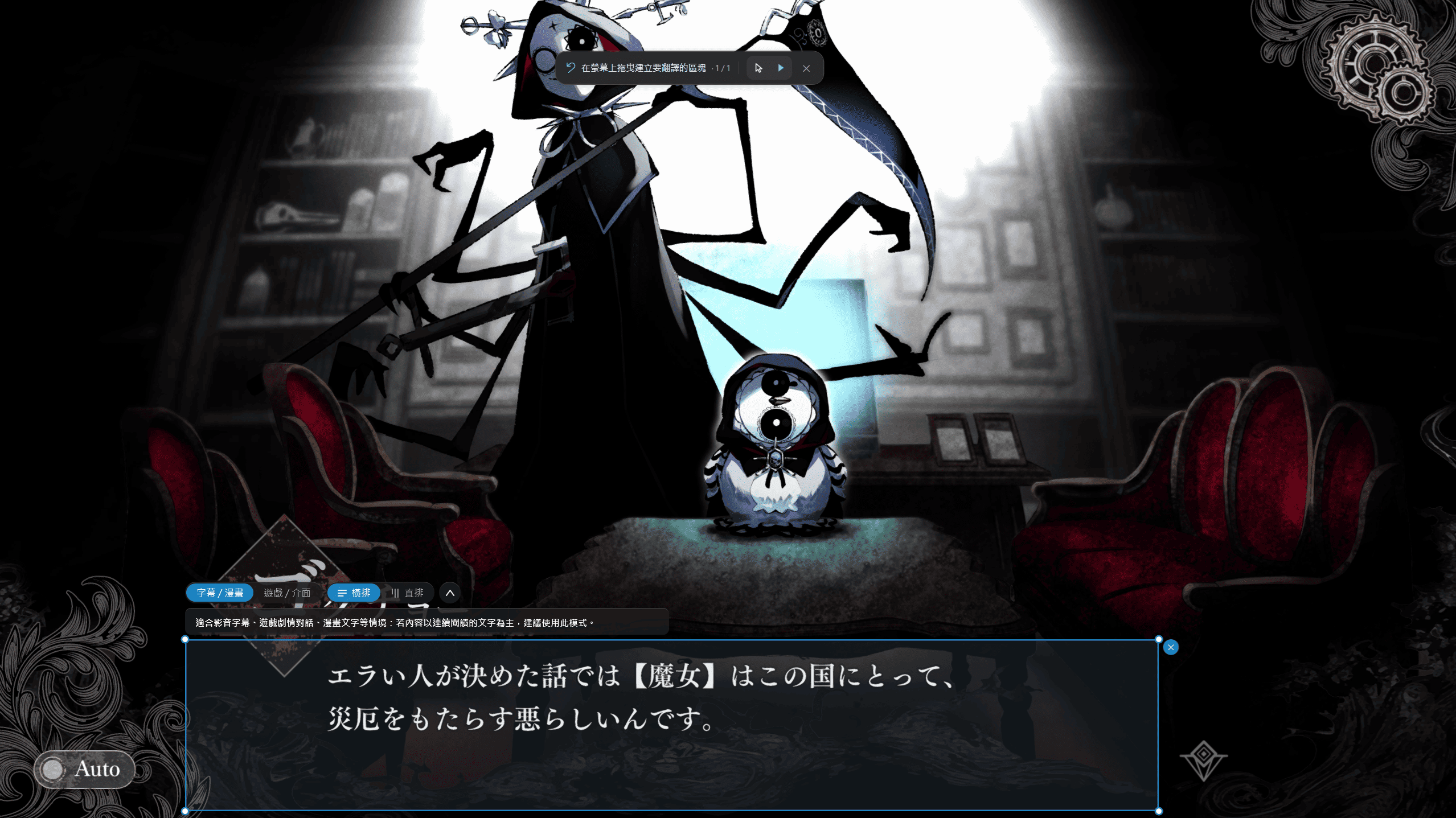
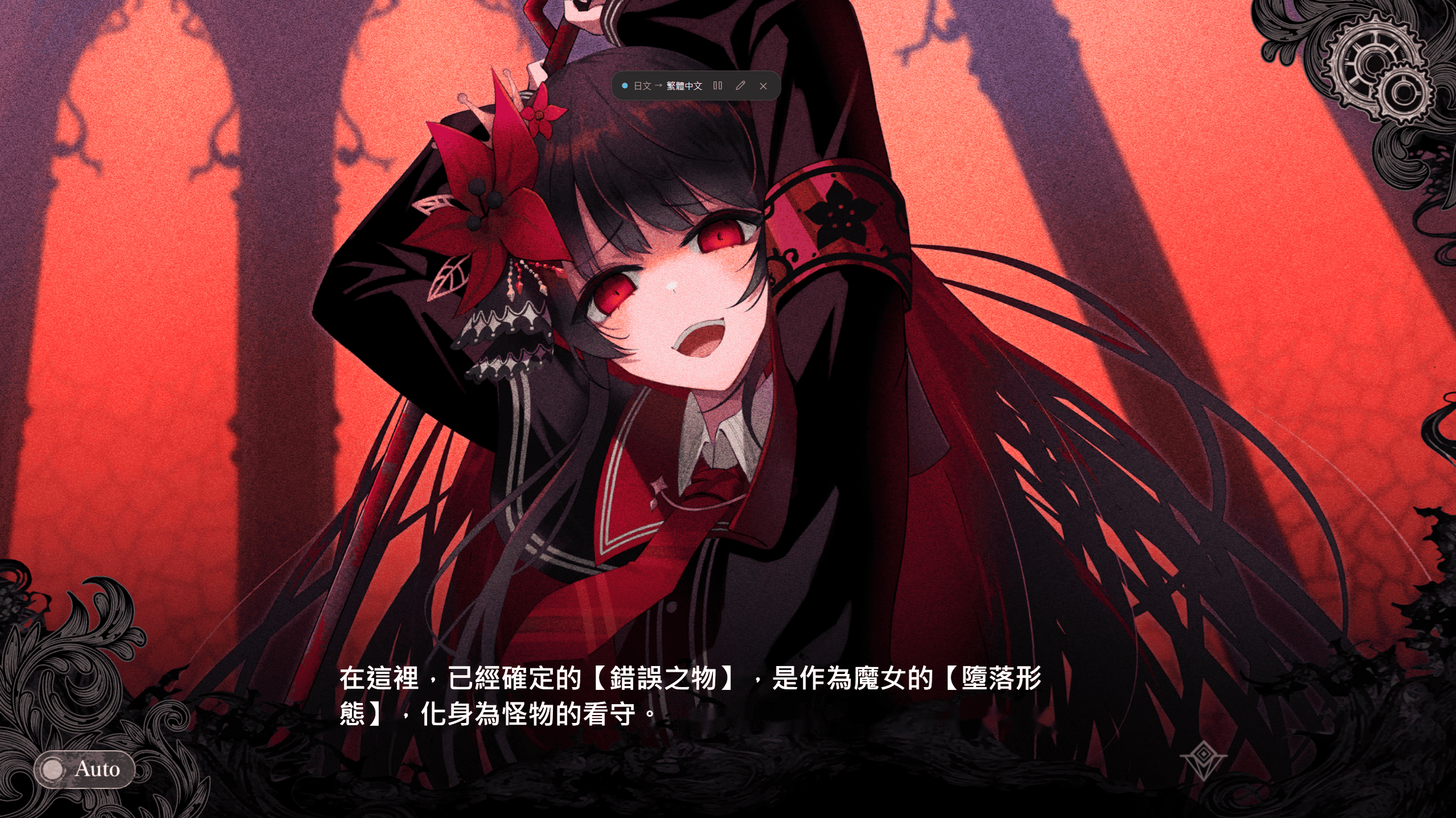
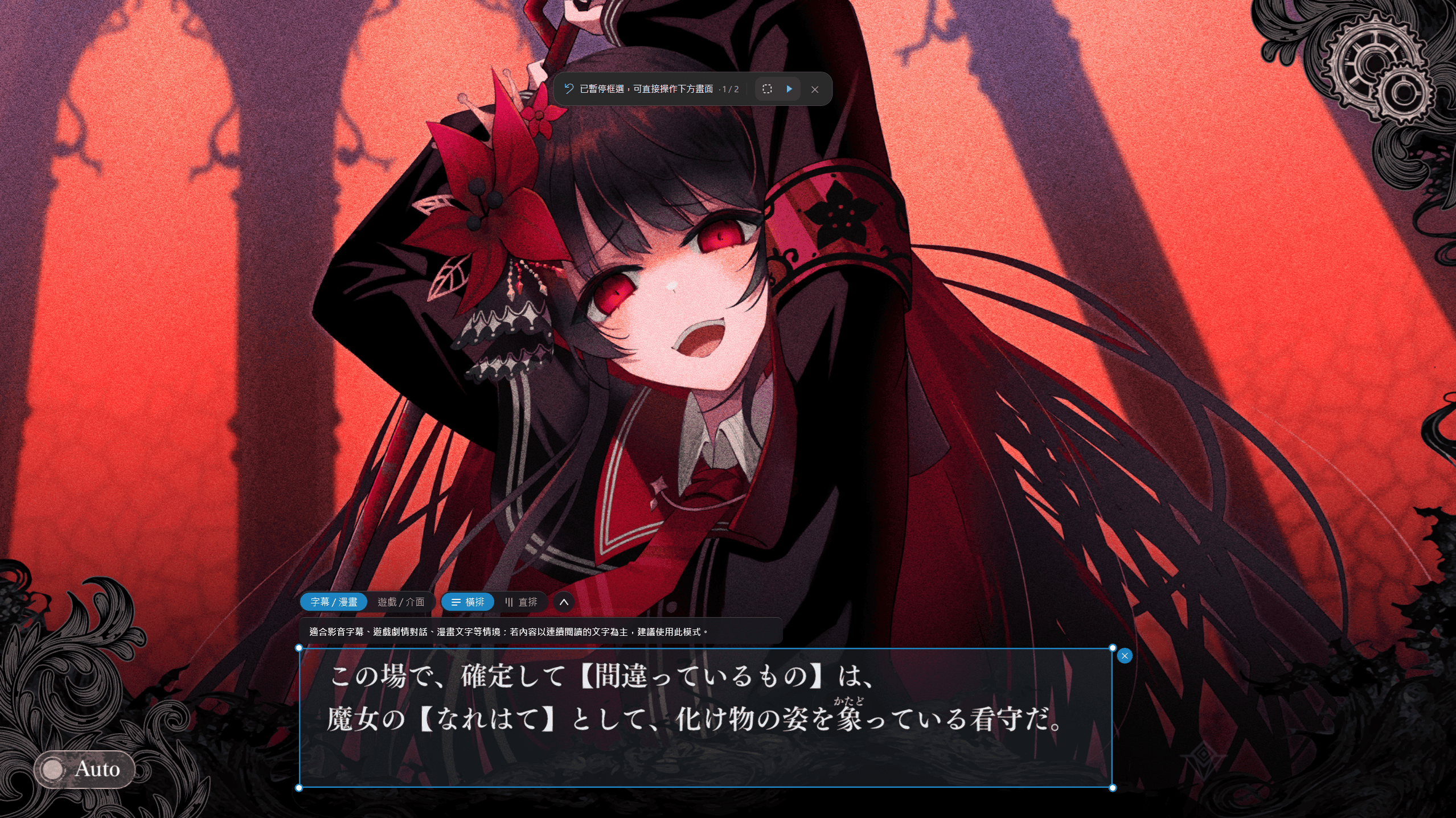
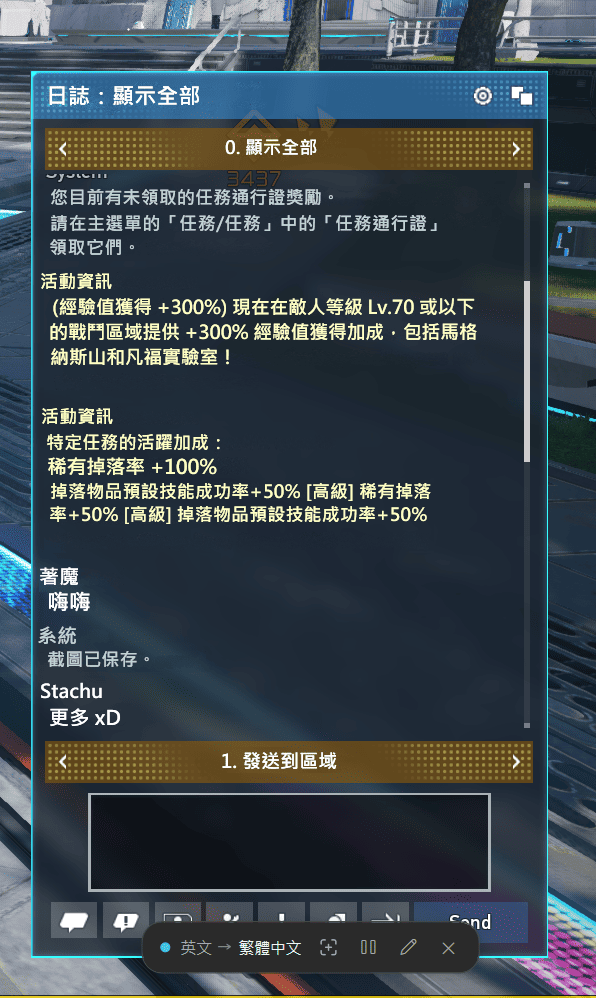
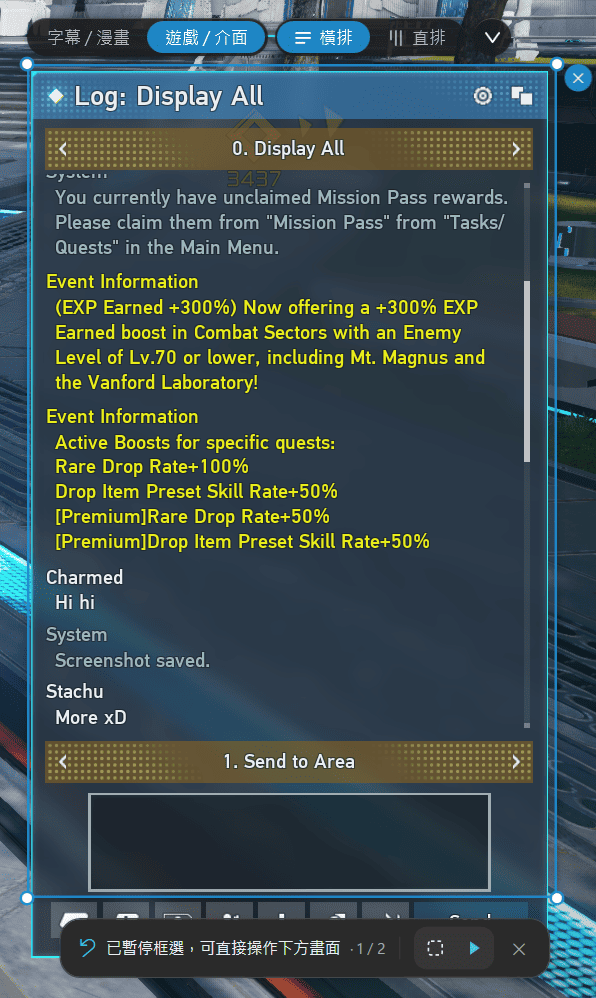
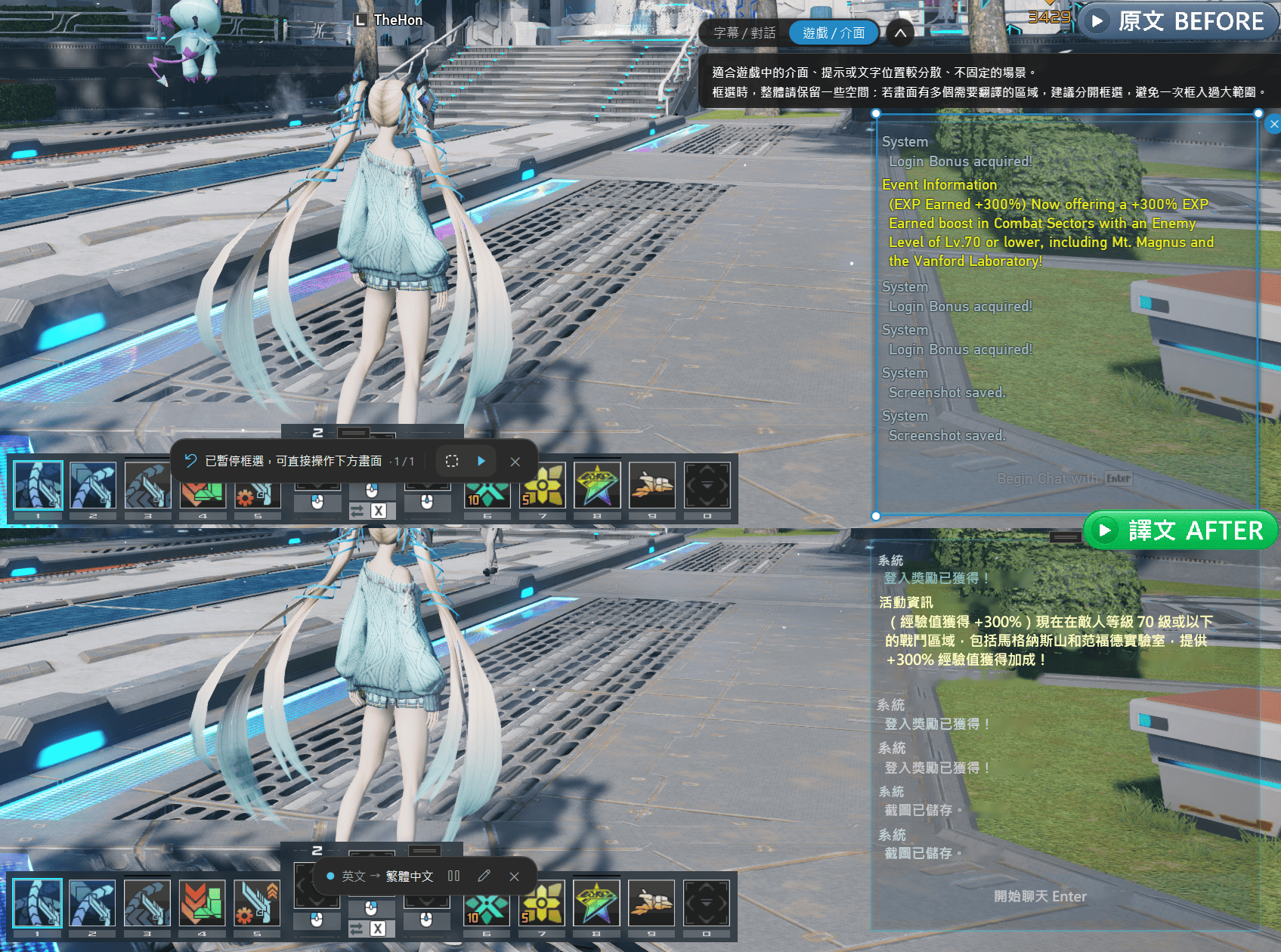
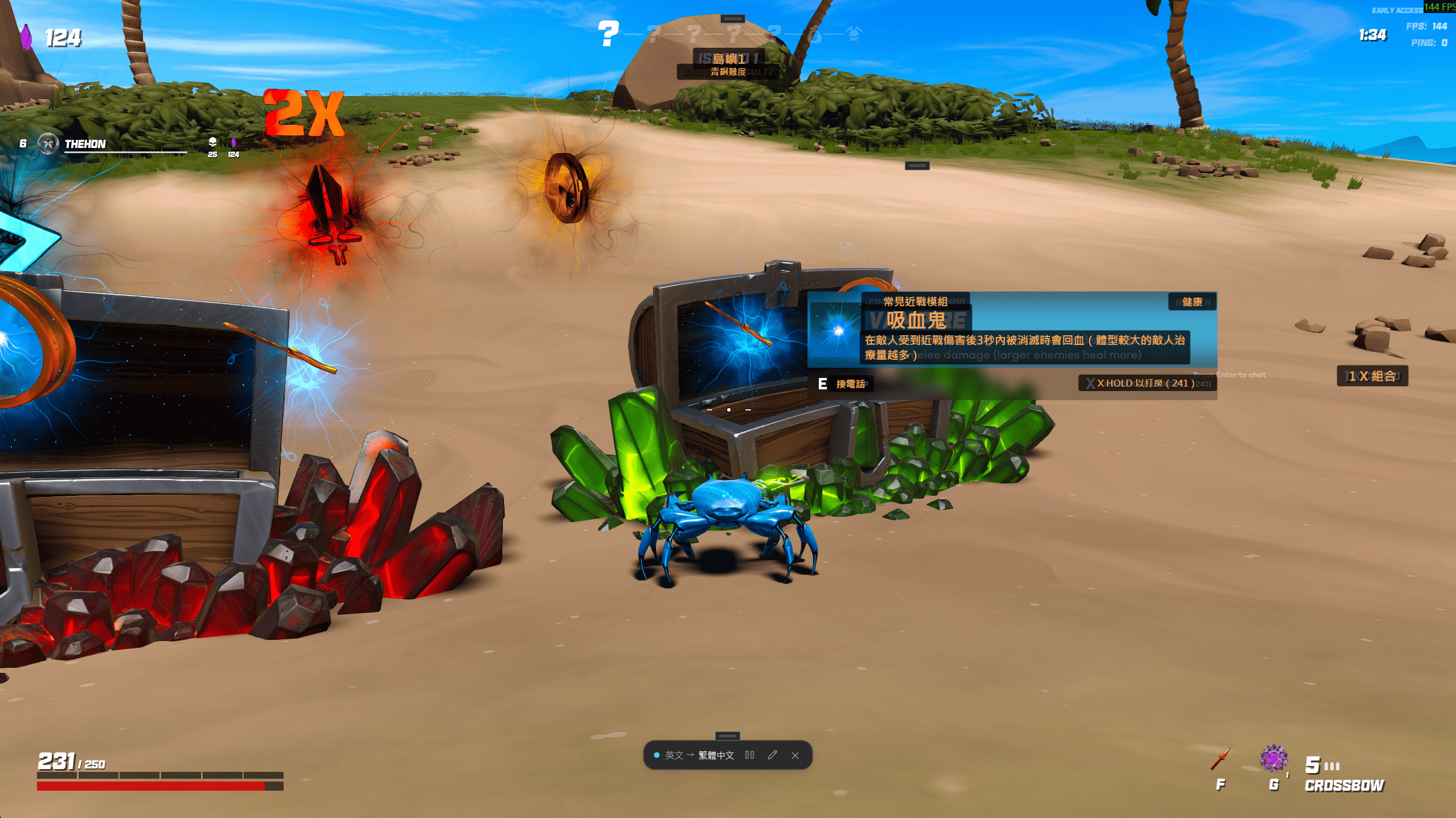
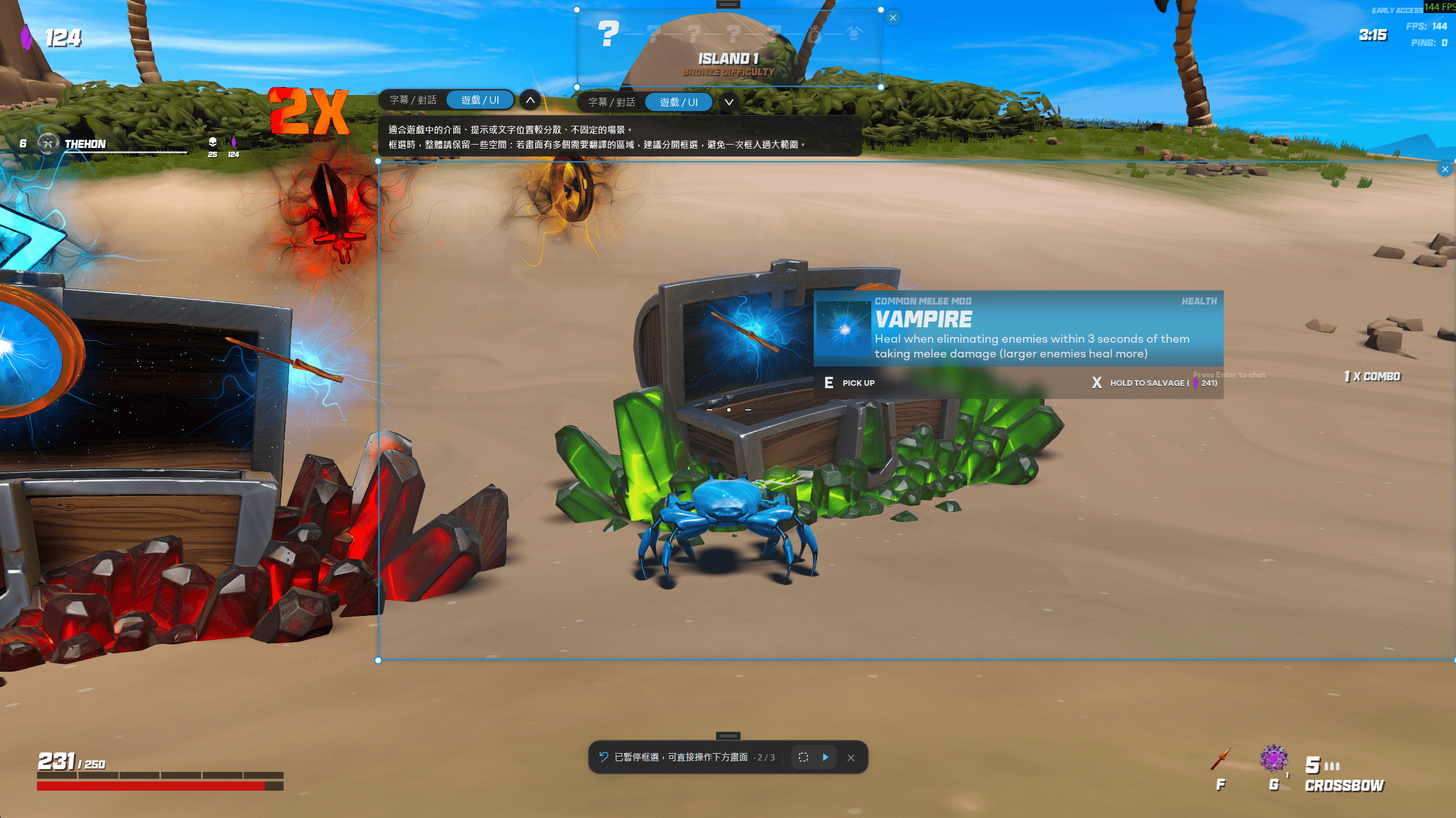
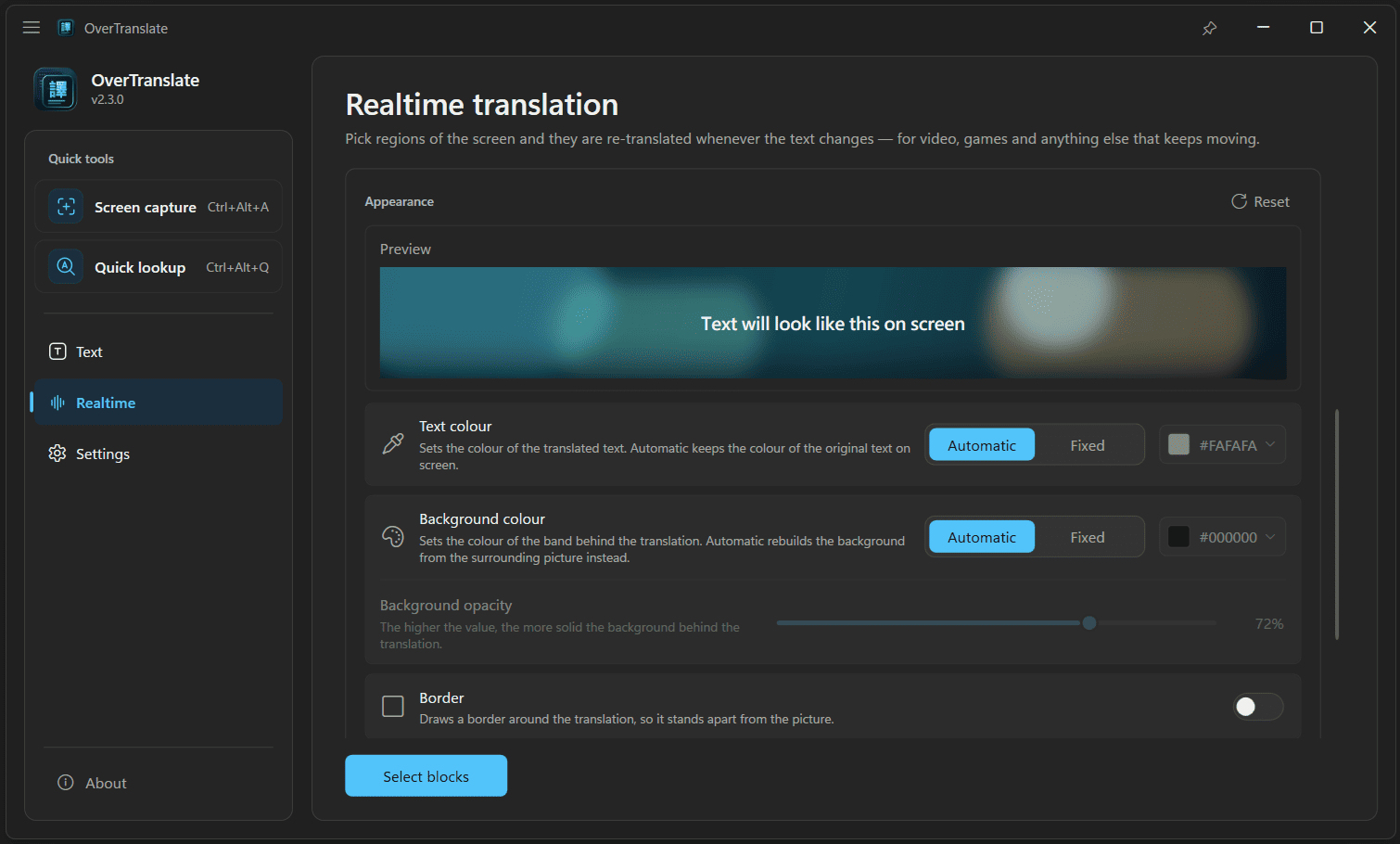
Text and background colour can follow the screen or be fixed, and the background opacity, border and preview are adjustable too.
Quick Lookup
More ways to translate
Select some text and press the hotkey: the translation is pasted straight over it with no window opening at all, in any field that accepts typed text.
Type or paste text to translate it, swap the source and target languages in one click, and have the original and the translation read aloud.
Translation services
The built-in services work as soon as the app is installed — no account to register, no API key to apply for.
Stable and quick to respond
DefaultGood translation quality
No setupWell-rounded, good for everyday use
No setupWhen a translation service is unavailable or responds too slowly, the app tries it again first, and switches to another one that works only if it still cannot translate — no retrying or changing settings on your part.
Beyond the built-in services you can add other translation services of your own, or translate with a local AI model. Neither is required for everyday use.
Privacy
The screen is recognised locally and the image is never uploaded. Only the recognized text is sent for translation, and with a local AI model even that stays on your machine.
Logs are stored on your machine only and are never uploaded automatically.
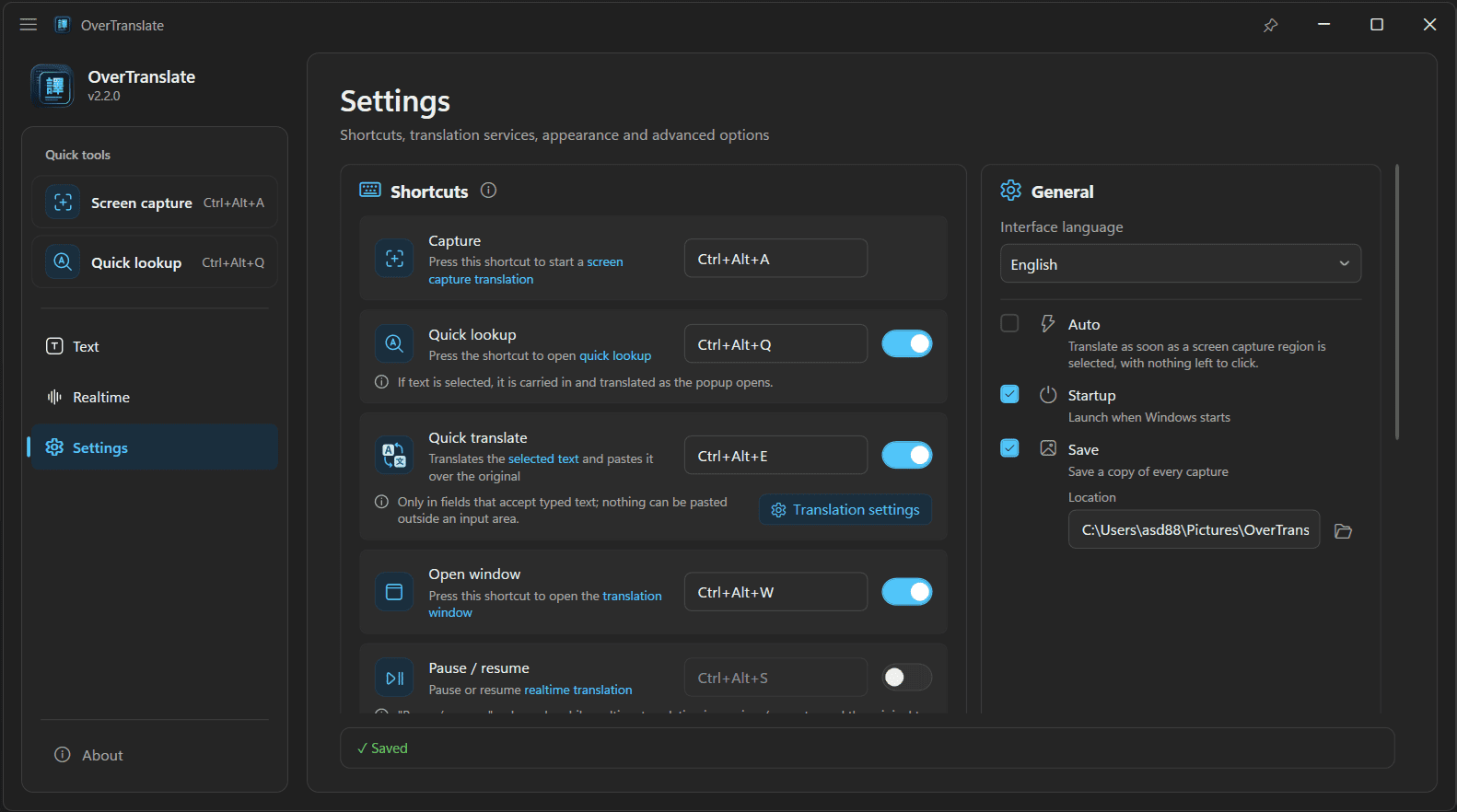
Settings
Download

Both versions support automatic updates